

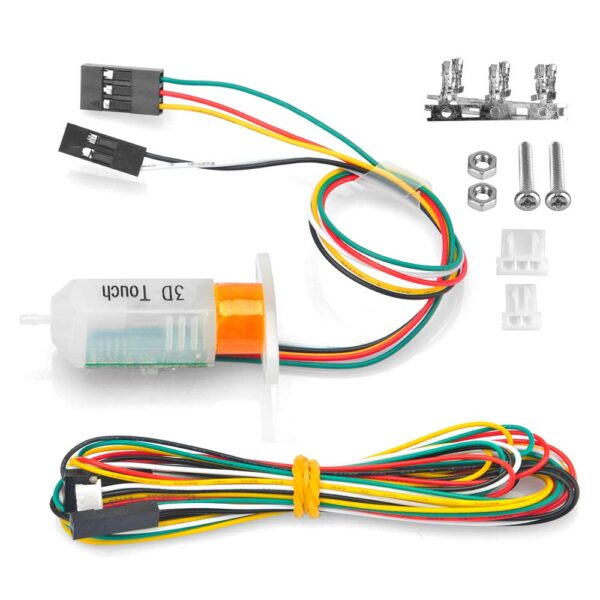
3D Touch – BL Touch Compatible Auto Level Probe
$ 19.22
Description 3D touch is a reliable lower-cost alternative to Bltouch. The first thing you’ll notice is the wiring colours are different to the Bltouch, some other brands of 3D Touch can also have different colour wires and BLtouch has two colour sets too. You can usually find the pinout marked on the printed circuit board of your 3d touch, you may need to remove the plug to see it. Once you can see the pin designation you can compare this to the colour codes on your cable. Important Notes: See the image at bottom of this description for the wiring colour guide. Caution Electronic devices can be damaged or even destroyed if connected to the wrong polarity. Pulling/pushing hard on the push-pin can damage 3DTouch and make it less accurate. Do not remove or deform elastic material attached to the push-pin. While 3D Touch is plug n play for some boards it is not plug-and-play for some older boards. you will need to do some modifications to your firmware and for some control boards, you may need to do some soldering work to the connector. This sensor is not compatible with some boards like the Melzi V2.0, V3.0 and some MKS boards. Check the wire connection and check if your control board supports BL/3D touch before ordering. Specifications: Voltage:5V Current:15mA Max current(peak): 300mA Shell material: PC Shell colour: White Cable length Short: 200mm Long: 1000mm Wire : 3pin: Green: -GND Red: 5V Orange: Signal cable 2pin: Black: -,GND White: Zmin User Manual BIQU B1 Firmware Setup Packing List: 1x Makerbase 3D Touch Sensor Auto Bed Leveling Sensor